eLearn
  • Home
  • Calendar
  • More
Site-wide search Close
Toggle search input
English (United States) ‎(en_us)‎
English ‎(en)‎ English (United States) ‎(en_us)‎ Español - México ‎(es_mx)‎
You are currently using guest access
Log in
eLearn
Home Calendar
  1. Dashboard
  2. GettingStarted
  3. General
  4. Frequently asked questions

Frequently asked questions

Back
Question:

How to take a screenshot with my device?

(Last edited: Friday, August 21, 2020, 5:26 PM)
Answer:
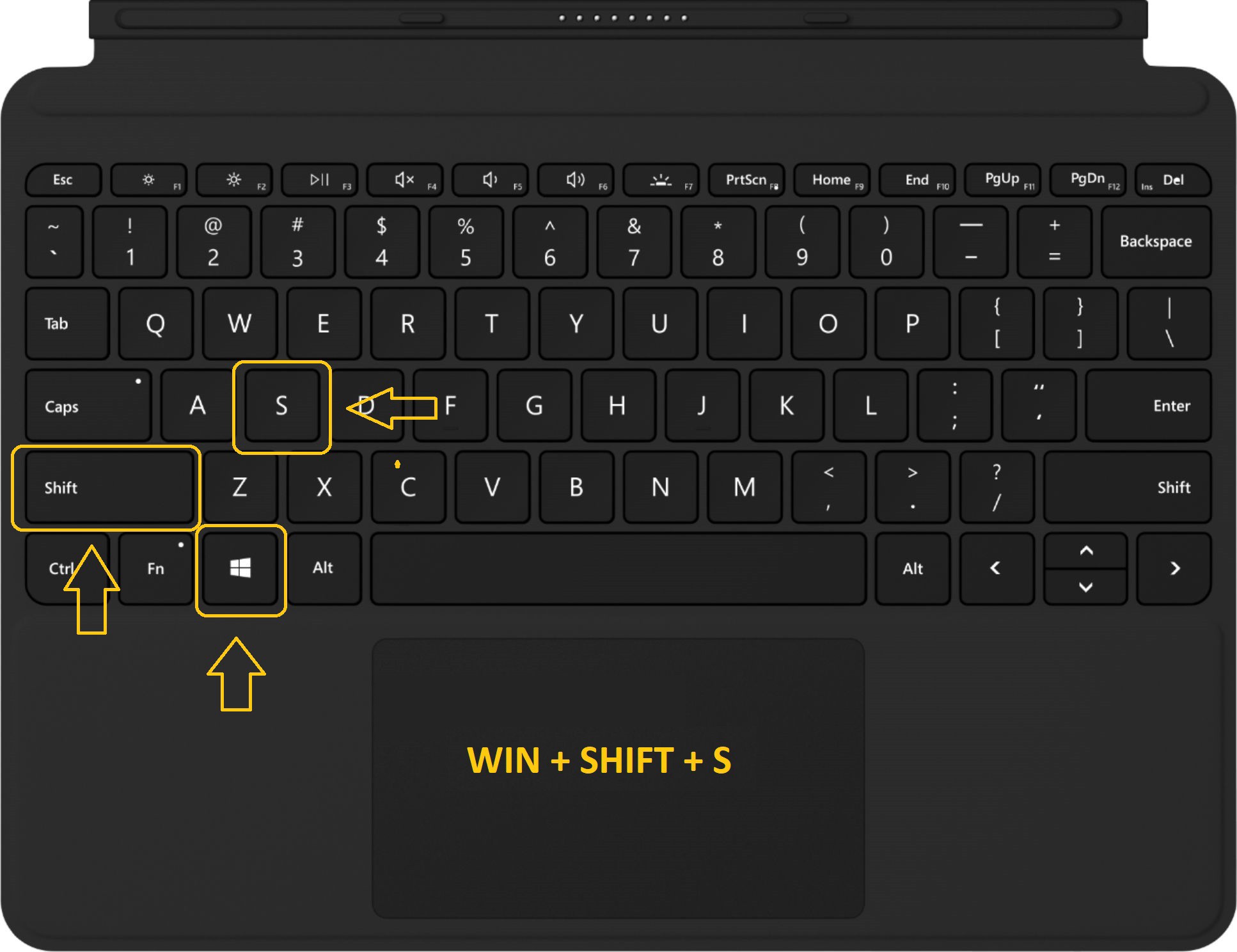
Screenshot on a Windows Device: WINDOWS+Shift+S
 
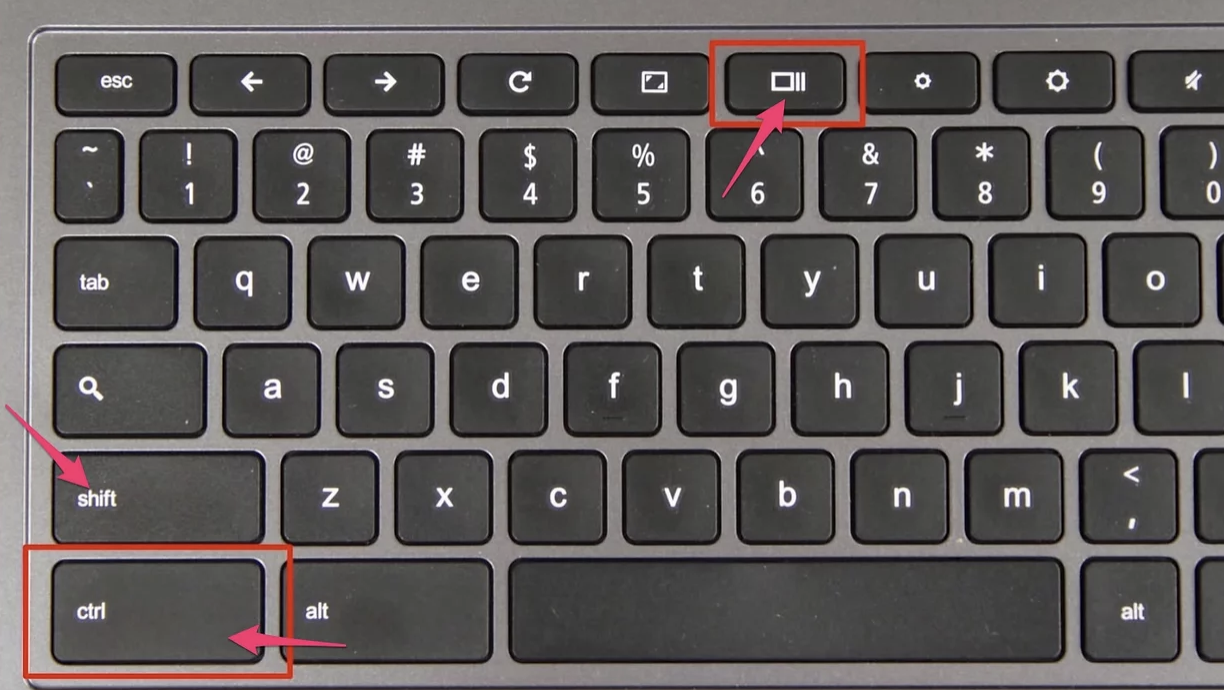
 Screenshot on a Chromebook: Control+Shift+SwitchWindow
 
 
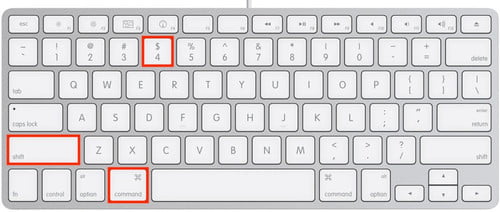
 Screenshot on a Mac: Command+Shift+4


» Frequently asked questions

eLearn user Manual ►
Contact site support
You are currently using guest access (Log in)
Data retention summary
Get the mobile app
Powered by Moodle