Frequently asked questions
Search or browse for your answers...
Especial | A | B | C | D | E | F | G | H | I | J | K | L | M | N | Ñ | O | P | Q | R | S | T | U | V | W | X | Y | Z | TODAS
A
Adding a co-teacher to your eLearn course
You can add a co-teacher to your eLearn course. That co-teacher can either be given the role of teacher or non-editing teacher.
A teacher can add, edit, or delete lessons, while a non-editing teacher can only view students, view student work, and grade student work.
H
How do I create my eLearn account?
Go to this link for directions on how to create your eLearn account.
https://elearn.mcoe.org/mod/page/view.php?id=15978
How do I fix the links that are not turning orange?
How much does eLearn cost?
Design-Your-Own Course
Add-on option within the MCOE Media Agreements
Cost: $2 per student
+ $500 annual tech fee
Description: You will be provided access to an empty shell of an eLearn course when adding eLearn through the media agreement. You (the facilitator/teacher) are responsible for constructing the content to be used with participants (students).
Duration: You will have access and editing privileges for 1 year. Your subscription will be renewed if your district continues to add in the media agreement.
Pre-made content (per site)
Cost: $2 per student
+ the cost* of the premade course
+ Coordinator hourly fee per 1 hour of eLearn training for you (the facilitator/teacher)
Description: You are purchasing a premade eLearn course created by MCOE staff to be used at a single site. As the facilitator, you are responsible for running the course and facilitating its activities with the participants at a single site. You may edit and modify the course as desired, however, will incur additional fees if assistance from MCOE is needed to make those modifications.
Duration: The duration of the subscription will vary depending on the premade course.
*Premade course cost: The creator of the course will determine its cost. The cost will be primarily based on the time required to create the course itself per hour as the labor cost. Additional considerations may also contribute to the course cost such as travel required to create the course, difficulty of course creation, etc.
For interest or more information, contact Duane Habecker at dhabecker@mcoe.org
How to create a Google assignment
Create your Google doc (or slides).
Then select G-Suite Assignment from the Activity Chooser.
Students will each get their own copy of your original file. Students complete the assignment and then submit it for grading.
Super simple to use!
How to create an account AND enroll yourself into a course
How to embed a video from Google Drive
How to embed a video from Google Drive...
How to get your course Enrollment code
To access the enrollment code for your course:
Click on the key button at the top left corner. 
You can now see your enrollment code.
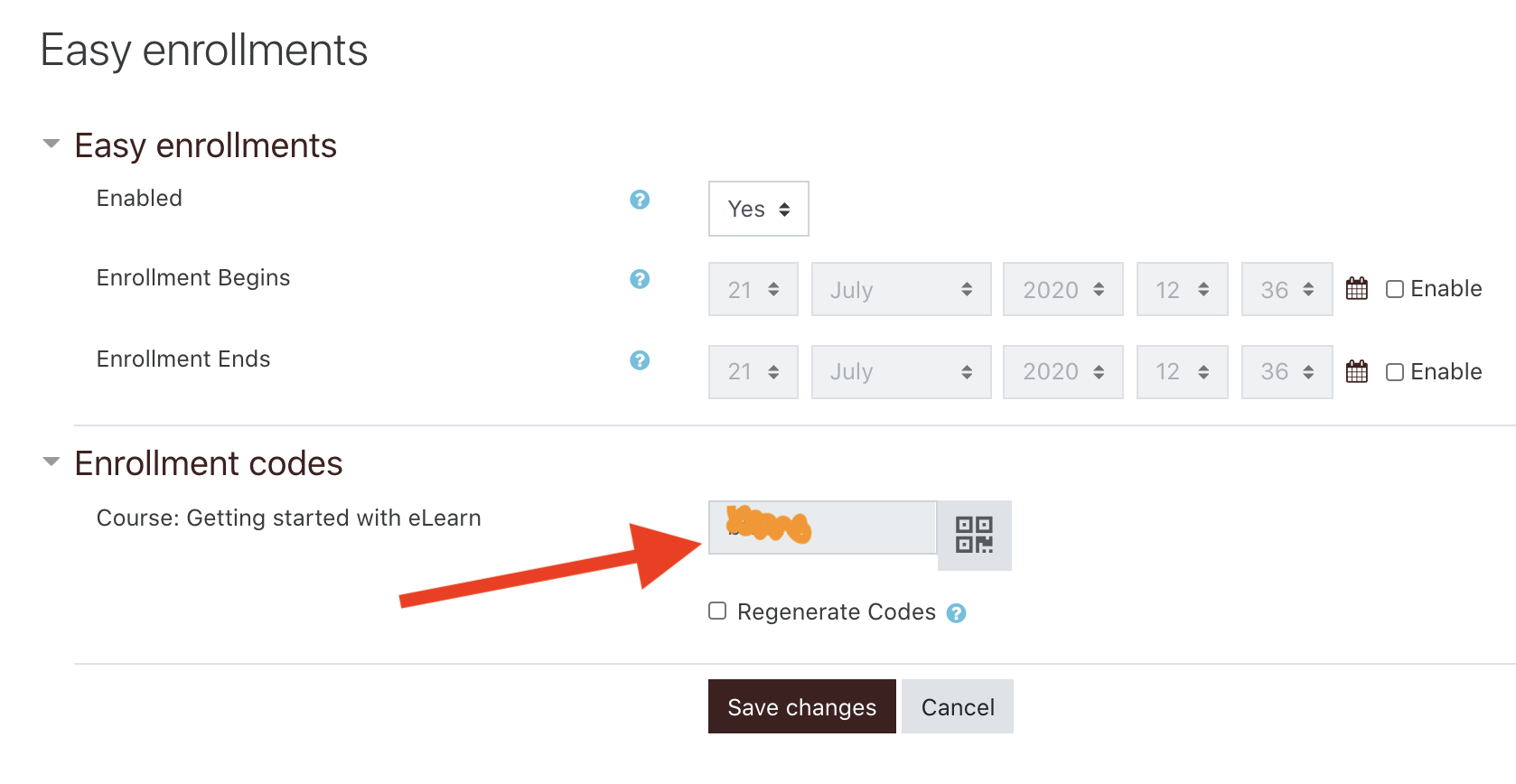
Here is a quick tutorial:
How to share a video from Google Drive
A simple way to all your students to see your video is to just paste the link directly into eLearn. Nothing fancy...just the link.
How to take a screenshot with my device?
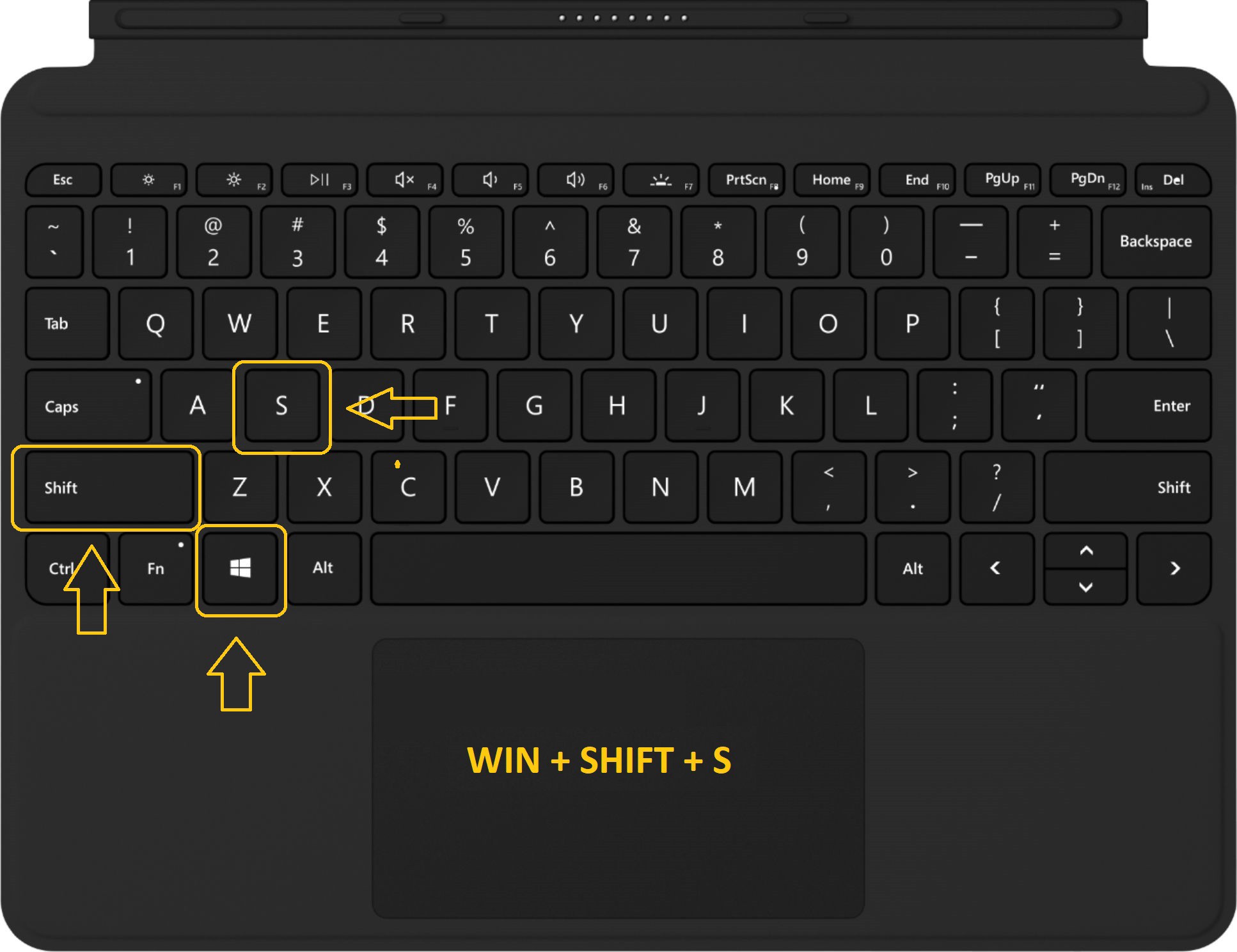
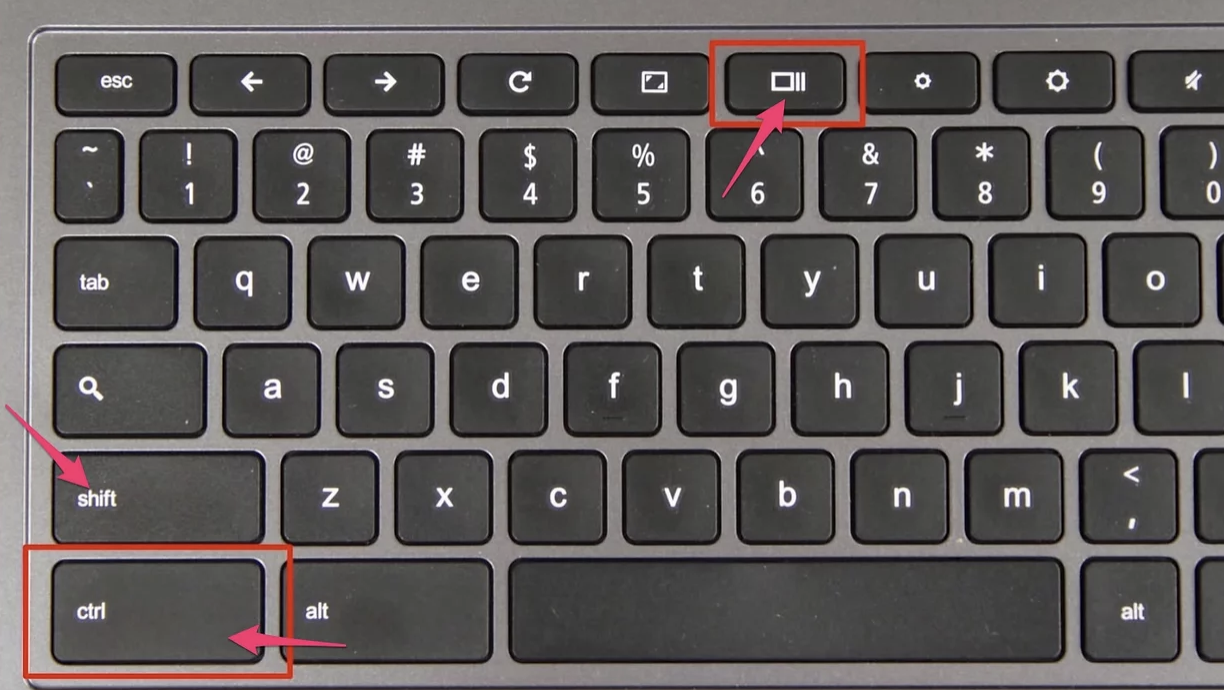
Screenshot on a Chromebook: Control+Shift+SwitchWindow
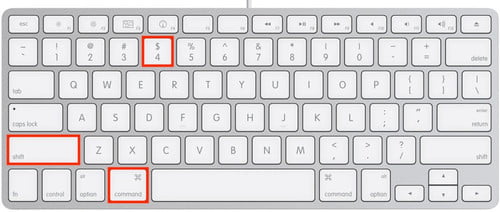
Screenshot on a Mac: Command+Shift+4